



You've narrowed it down to two tools.
Both promise no-code freedom. Both look incredible in the demo video.
Six months from now, one of them will feel like the wrong choice. Here's how to make sure it isn't yours.
Quick Answer: Webflow vs Framer at a Glance
Now let's get into why each row looks the way it does.
What Webflow Actually Does
Webflow is a full visual CMS and hosting platform built for content-heavy sites.
It gives you real control over structure. Custom fields, relational content, nested collections.
That power comes with a learning curve. Webflow's Designer has a lot of surface area.
Most teams need a few weeks to get comfortable. Agencies live in it daily, so that curve pays off fast for them.
What Framer Actually Does
Framer is a visual builder built for speed and motion.
It started as a prototyping tool for designers. That history still shows in how it feels to use.
Drag in an animation, and it just works. No custom code, no keyframe wrestling.
The tradeoff is depth. Framer's CMS is lighter. Its e-commerce support barely exists.
For a marketing site, a landing page, or a portfolio, none of that matters. For a content-heavy platform, it starts to.
Webflow SEO vs Framer SEO
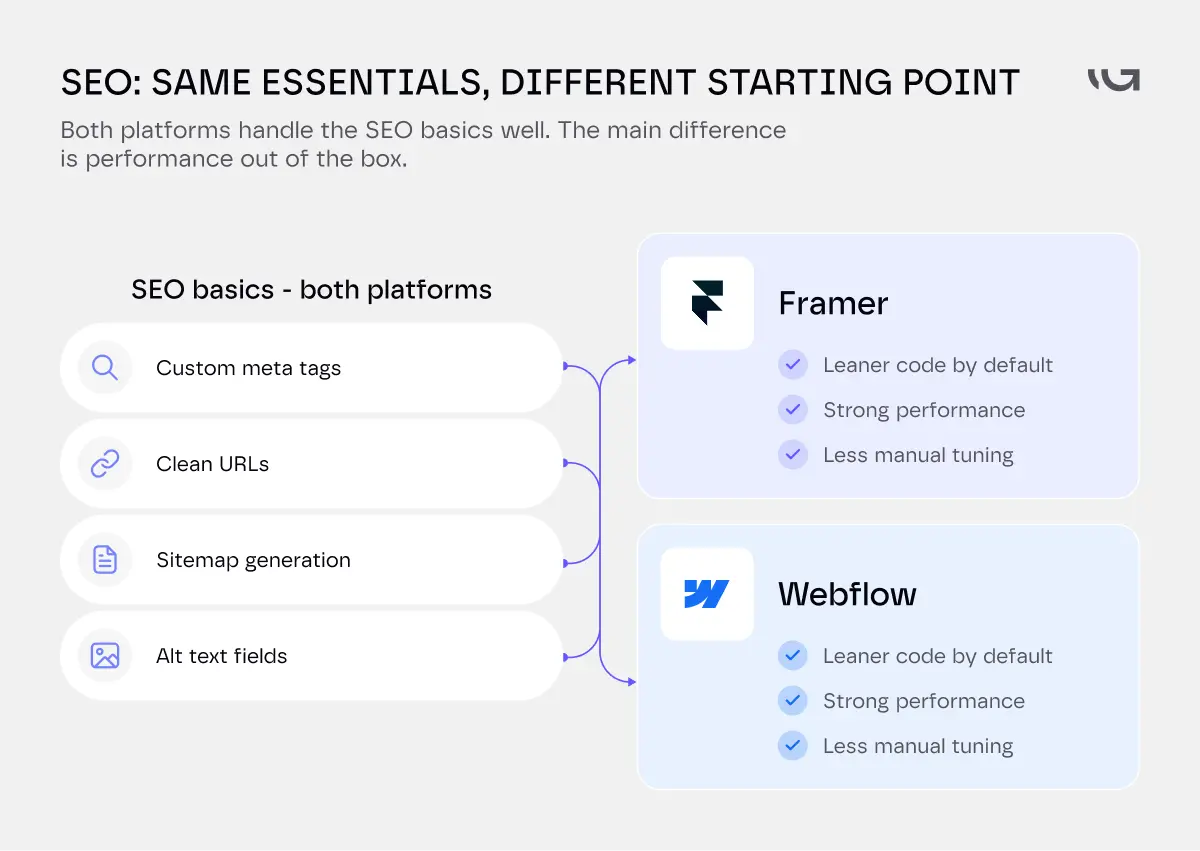
Both platforms handle the SEO basics well. Custom meta tags, clean URLs, sitemap generation, alt text fields.
That part's a tie.
Where they split is technical performance, and performance is an SEO factor now, not just a nice-to-have.
Framer's output tends to be lighter by default, since it generates leaner code out of the box. Webflow can reach the same performance, it just usually takes more manual optimization, image compression, script cleanup, font loading, to get there.
Neither platform guarantees a fast site on its own. A poorly built Framer site can be slow. A well-tuned Webflow site can be fast. The platform sets your starting point. The build decides where you land.
Webflow SEO catches up with effort. Image optimization, code cleanup, and a properly structured CMS close most of the gap.
Framer SEO starts faster because the platform generates leaner code from the start. You do less manual tuning to get there.
Neither platform SEO's itself for you. Content, internal linking, and structure still matter more than which builder you picked.
CMS Functionality Compared
This is where the two platforms diverge the most.
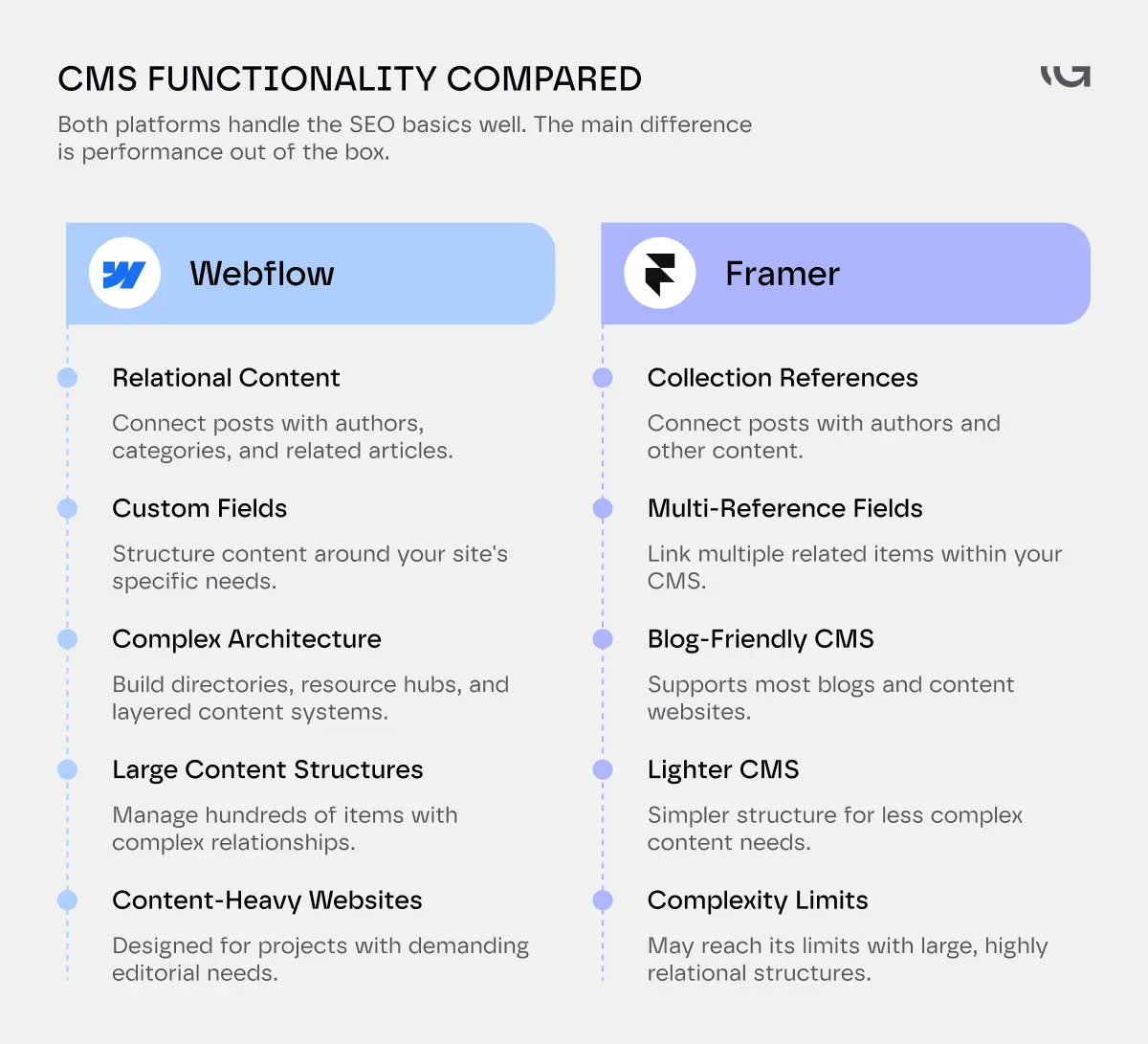
Webflow's CMS supports relational data. A blog post can pull in an author, a category, and related posts, all connected, all dynamic.
You can build genuinely complex content architecture. Think directories, marketplaces, multi-language resource hubs.
Framer's CMS used to be simpler by design. That's changed. Framer now supports Collection References and Multi-Reference fields, so a blog post can pull in an author, tags, or related items from another collection, similar to what Webflow does.
The gap has narrowed. Webflow still has more CMS depth for very large or highly relational content structures, hundreds of items with complex, layered relationships. For most blogs and content sites, Framer's CMS now covers what you need.
For a blog with a handful of categories, that's plenty. For a content platform with real editorial complexity, you'll hit the ceiling.
Check your content plans for the next two years before you pick, not just what you need today.
Performance and Design Flexibility
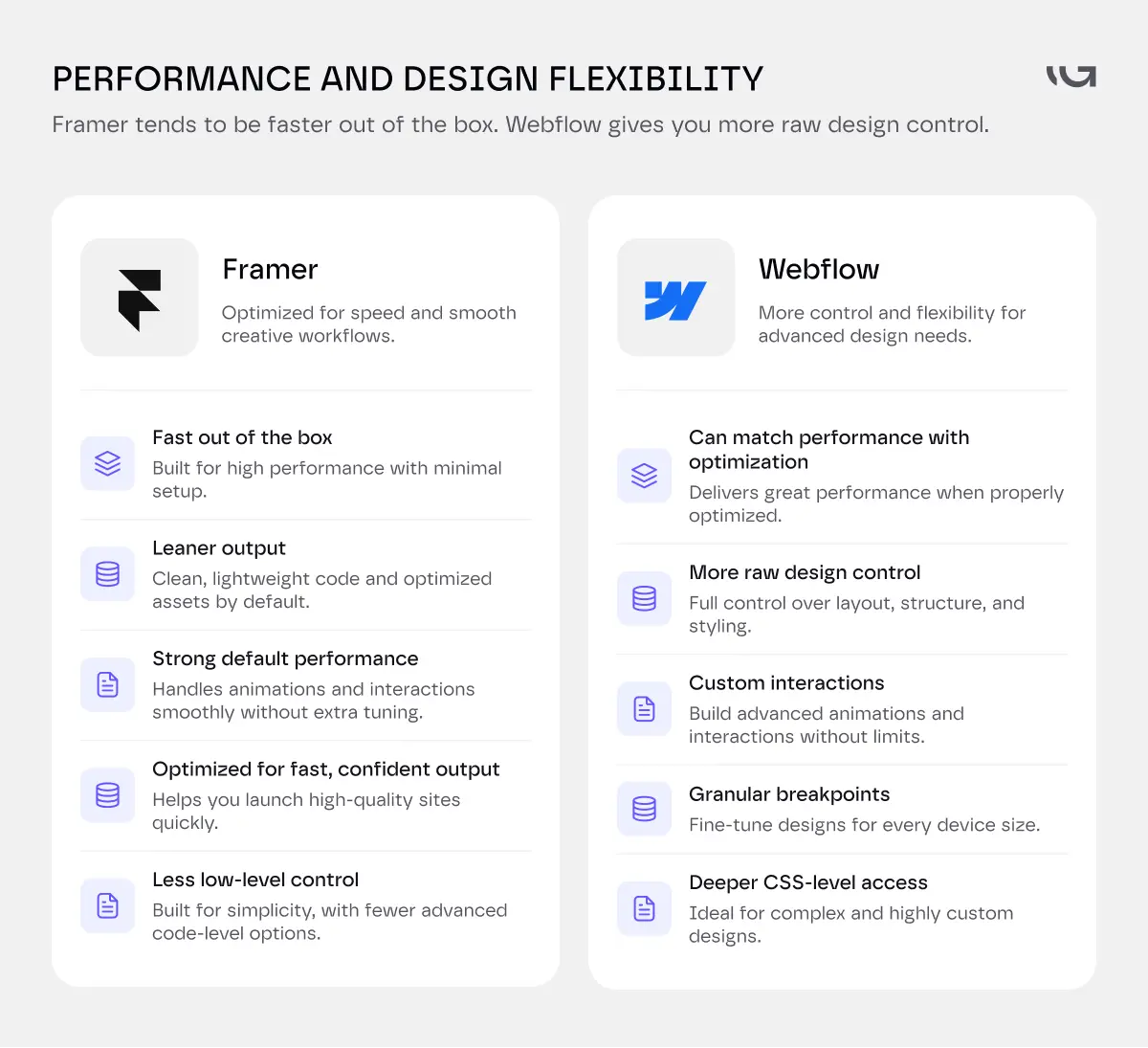
Framer tends to win on out-of-the-box speed. Its output is close to what a lean, hand-coded static site would produce.
Webflow can match that. It just takes more deliberate optimization work to get there.
On design flexibility, Webflow has more raw control. Custom interactions, more granular breakpoints, deeper CSS-level access if you need it.
Framer optimizes for fast, confident output. You get less low-level control, but you rarely need it for the sites Framer is built for.
Neither is "more design flexible" in the abstract. It depends on whether you want granular control or fast, opinionated defaults.
Pricing Compared
Webflow site plans (annual billing): Basic at $15/month, Premium at $25/month, Enterprise custom.
Premium is the one most content-driven sites actually need. It includes the full CMS and higher bandwidth.
Framer site plans (annual billing): Basic at $10/month, Pro at $30/month, Enterprise custom.
Framer's Basic plan undercuts Webflow at the entry level. Pro, once you add real CMS use, lands close to Webflow Premium.
Neither price includes the actual build. Software cost and development cost are two separate lines, and the second one is usually bigger.
Not sure which platform actually fits your project's real scope, not just its budget line? Talk to Greensighter's Webflow team before you commit to either platform.
Migration Considerations
Moving into either platform from WordPress or a custom stack takes real planning. Content migration, URL redirects, and SEO equity don't transfer automatically.
Webflow migrations tend to take longer for content-heavy sites, simply because there's more structure to rebuild.
Framer migrations are usually faster for marketing sites, since there's less CMS complexity to recreate.
If you're evaluating Webflow alternatives because your current build has outgrown its CMS or its performance, Framer is one option.
It's not the only one. Greensighter's Next.js vs React breakdown covers what a fully custom-coded alternative buys you once a no-code platform stops being enough.
Best Use Cases
Choose Webflow if:
- You're running a content-heavy site with real editorial complexity
- You need native e-commerce
- You want deep design and interaction control
- Your team has the time to learn a steeper tool
Choose Framer if:
- Speed to launch matters more than deep CMS structure
- Your site is mostly marketing pages, not a content platform
- You want strong performance without manual tuning
- Your team is smaller and needs a gentler learning curve
Most agencies pick based on the actual project, not brand loyalty. The right call changes site to site.
If you're mid-decision and the stakes are real, a quick audit of your actual content and traffic needs beats guessing from a comparison table. Greensighter's website redesign strategy guide walks through that scoping process, and it applies whether you land on Webflow, Framer, or something else entirely.
When "Webflow Alternatives" Really Means Something Else
A lot of people searching Webflow alternatives aren't actually unhappy with Webflow. They're unhappy with how long their site takes to build or update.
Framer solves that for a marketing site. It doesn't solve it for a site that's outgrown a no-code platform entirely.
If your team keeps hitting walls on customization, not just CMS depth, the honest alternative might not be another builder at all.
Greensighter's Next.js vs React breakdown covers what a fully custom-coded site buys you once no-code stops being enough, for either platform.
Decision Checklist Before You Choose
- Do you need native e-commerce? → Webflow
- Is your site mostly marketing pages, not a blog or resource library? → Framer is worth a serious look
- Will your content grow past a few hundred items with real relational structure? → Webflow
- Is launch speed the top priority right now? → Framer
- Does your team need deep custom interactions? → Webflow
- Is your budget tight at the entry tier specifically? → Framer's Basic plan is cheaper
The Bottom Line
Webflow vs Framer isn't really about which platform is better. It's about which one matches what you're actually building.
Webflow wins on depth. Framer wins on speed and default performance.
Pick based on your content complexity and your team's tolerance for a learning curve, not on which one has the flashier launch video.
Tell us what you're building, and we'll tell you honestly which platform fits. Start the conversation.


.webp)
.webp)