



If you think patient relationships end after they book an appointment, guess again.
They continue through every reminder, follow-up, treatment plan, billing update, and future visit.
On the flip side, many clinics manage these interactions across a disconnected system.
They get lost in spreadsheets and manual processes.
At the same time, patient numbers keep growing.
This leads to inconsistency, more admin work, and valuable info slipping through the cracks. .
That's where a well-designed CRM can make a measurable difference.
Successful healthcare CRM development goes far beyond storing patient contact details.
What it does is create a connected system.
This system then supports communication and automates workflows.
It gives you a bird’s eye view of every patient interaction.
The challenge?
Healthcare has very different requirements from other industries.
You need to keep patient data secure.
Clinical workflows must stay efficient.
Systems need to communicate with EHR platforms, scheduling software, billing systems, and patient portals.
That’s why we put this guide together.
It covers key modern healthcare CRM features, value-driving functionality, and development choices that shape success down the line.
What Is Healthcare CRM Development?
Healthcare CRM development is tailor fitting customer relationship management systems for healthcare providers.
Old-school CRM platforms focus primarily on sales, healthcare CRMs.
The new ones help patient care and daily clinic work.
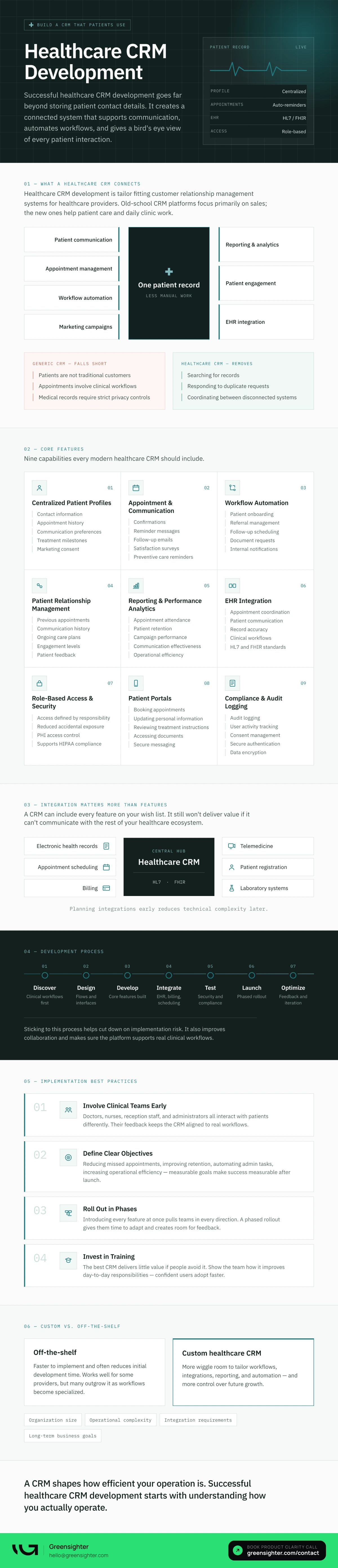
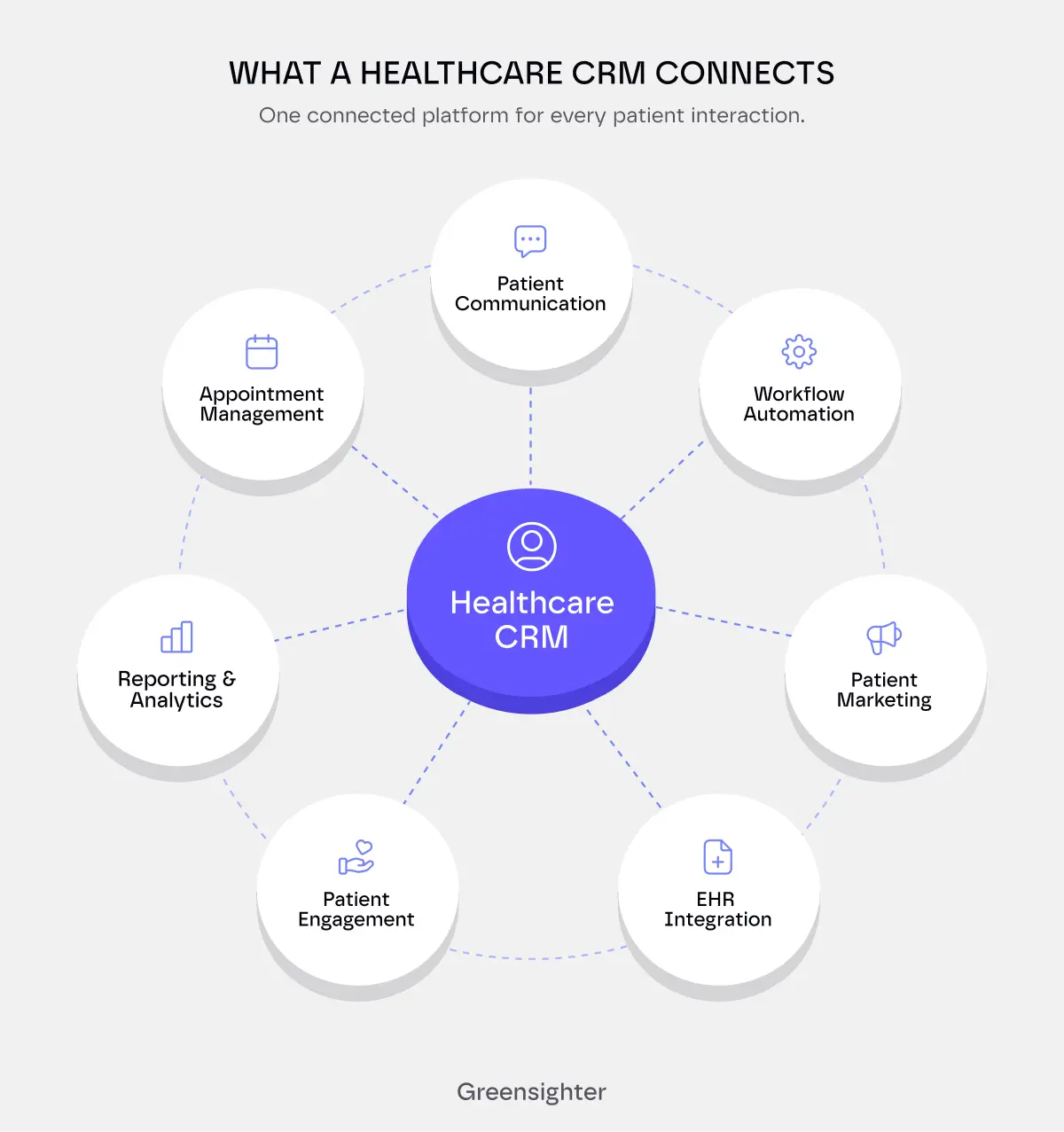
A modern healthcare CRM often brings together:
- Patient communication
- Appointment management
- Workflow automation
- Marketing campaigns
- Reporting and analytics
- Patient engagement
- EHR integration
The objective is simple:
Give healthcare providers a complete picture of every patient while reducing the manual work.
This moves up the agenda as your clinic grows.
Without centralized patient information, your staff spends more time doing manual labor.
A well-designed CRM alleviates common headaches like:
- Searching for records
- Responding to duplicate requests
- Coordinating between disconnected systems.
Why Generic CRM Platforms Often Fall Short
A general-purpose CRM is the go-to for many organizations because it appears to solve the immediate problem.
We’ll give credit where it’s due: it handles contact management well.
Time, on the other hand, brings its limitations to the surface.
Healthcare organizations operate very differently from retail businesses, manufacturers, or professional services firms.
Patients are not traditional customers.
Appointments involve clinical workflows.
Medical records require strict privacy controls.
That’s why many organizations eventually end up pitching in for a custom healthcare CRM solution.
The goal is simple: cutting down on friction across the journey.
Core Features Every Healthcare CRM Should Include
The value of a CRM depends on more than the number of features it offers.
What matters is whether those features improve patient experience and support day-to-day operations.
Here are the capabilities we at Greensighter think every modern healthcare CRM should include.
1. Centralized Patient Profiles
Every patient interaction should contribute to a single, complete profile that includes::
- Contact information
- Appointment history
- Communication preferences
- Treatment milestones
- Support requests
- Marketing consent
What sounds better։
Switching between multiple systems…
Or quickly accessing the information they need from one place?
2. Appointment and Communication Management
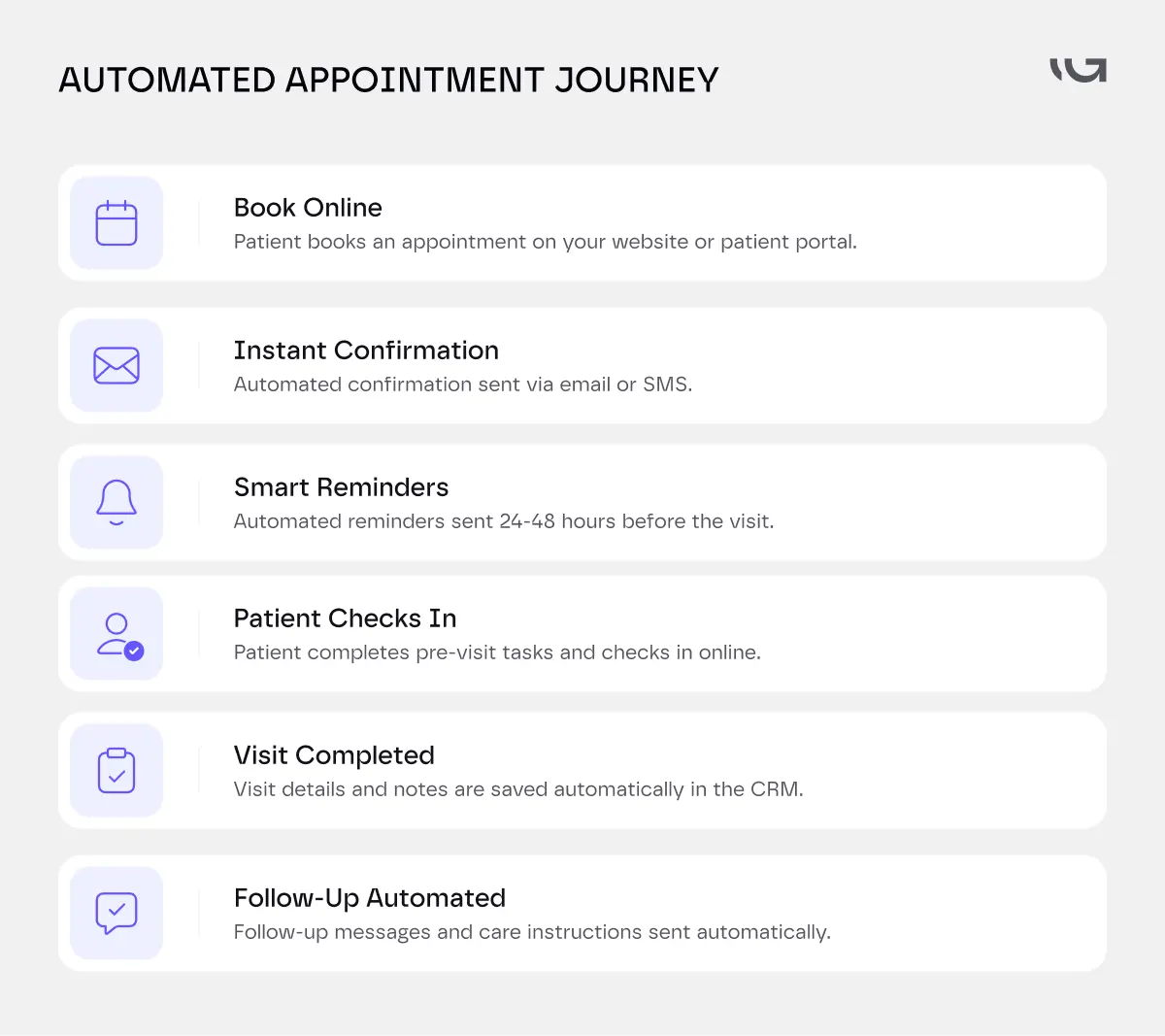
Missed appointments create scheduling gaps, reduce revenue, and interrupt patient care.
A healthcare CRM should help reduce those issues through automated communication.
Examples include:
- Appointment confirmations
- Reminder messages
- Follow-up emails
- Satisfaction surveys
- Preventive care reminders
Automating routine communication improves consistency.
At the same time, it reduces the administrative workload placed on front-office teams.
It also creates a better experience for patients.
Remember, they increasingly expect personalized communication that’s always on time.
3. Workflow Automation
Administrative work eats up a significant portion of a clinic's day.
Many of those processes follow the same sequence every time.
That makes them ideal candidates for automation.
This includes:
- Patient onboarding
- Referral management
- Follow-up scheduling,
- Document requests
- Internal notifications
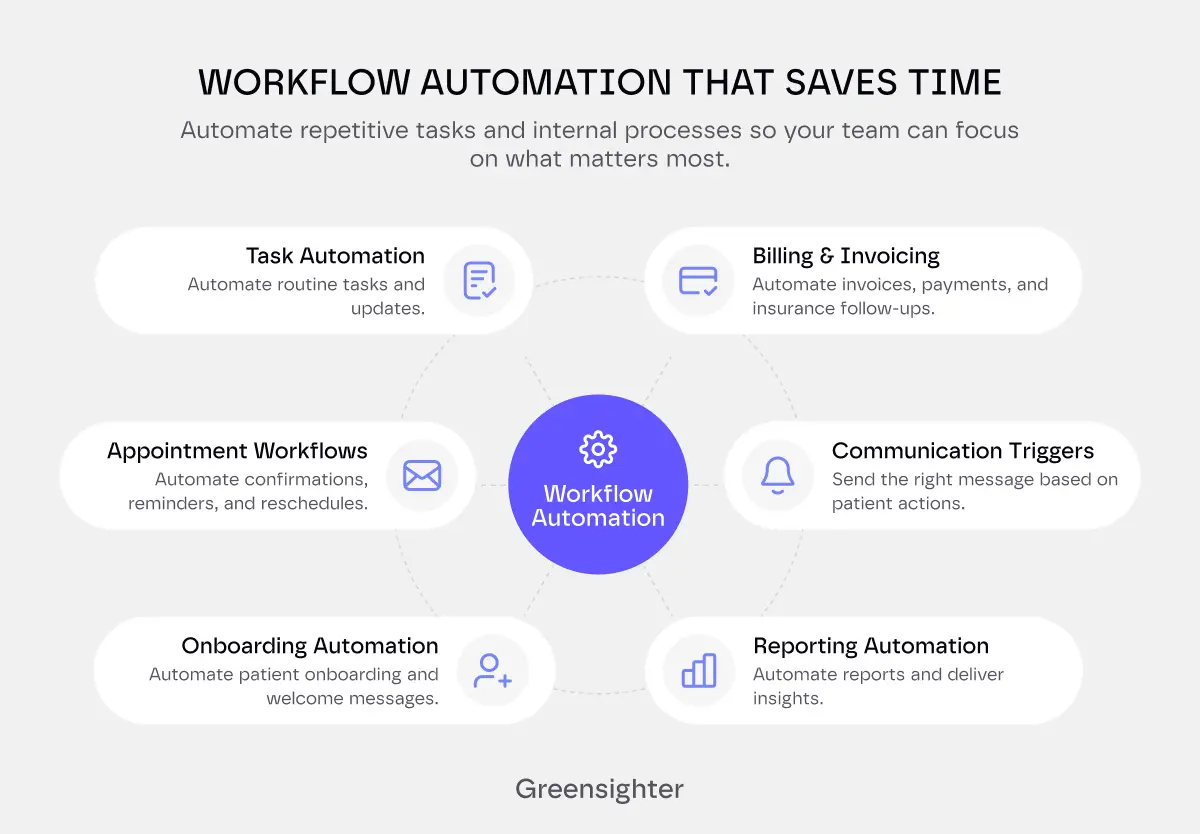
Workflow automation helps teams spend more time on supporting patients.
4. Patient Relationship Management
Patient relationships require more than occasional reminders.
As a healthcare provider, you can only benefit from understanding each patient's journey over time.
A CRM organizes interactions by tracking:
- Previous appointments
- Communication history
- Ongoing care plans
- Engagement levels
- Patient feedback
This allows you to deliver more relevant communication while improving long-term patient retention.
It helps you spot inactive patients early and bring them back before they leave for good.
5. Reporting and Performance Analytics
Every healthcare organization generates valuable operational data.
The stumbling block is turning that information into actionable insights.
Modern medical CRM software should provide reporting tools that help you measure:
- Appointment attendance
- Patient retention
- Campaign performance
- Communication effectiveness
- Operational efficiency
These insights help you find bottlenecks, improve workflows, and make better business decisions.
6. EHR Integration
A CRM should never operate in isolation.
Managing patient care across multiple systems requires efficient information exchange.
That’s why EHR integration is a key piece of the healthcare CRM development puzzle.
When CRM and EHR platforms work together, something great happens:
Teams spend less time entering duplicate information.
Instead, they spend more of it focusing on patient care.
Integration also improves:
- Appointment coordination
- Patient communication
- Record accuracy
- Clinical workflows
- Operational efficiency
Standards like HL7 and FHIR play an important role here.
They help healthcare systems exchange data more consistently.
The easier information moves between platforms, the smoother the patient experience becomes.
7. Role-Based Access and Security
Every employee needs access to different information.
Receptionists.
Physicians.
Nurses.
Administrators.
Support staff.
A healthcare CRM should allow you to define access based on responsibilities.
Role-based access improves security while reducing the likelihood of accidental data exposure.
It also supports HIPAA compliance by allowing you to control access for Protected Health Information (PHI)..
8. Patient Portals
Patients increasingly expect to manage healthcare online.
Booking appointments.
Updating personal information.
Reviewing treatment instructions.
Accessing documents.
Sending secure messages.
Patient portals or digital doors let patients handle these tasks without calling the clinic.
This improves the patient experience and reduces admin work for staff.
9. Compliance and Audit Logging
The environment for healthcare organizations is very regulated.
That makes compliance a core requirement rather than an optional feature.
A modern healthcare CRM software platform should support:
- Audit logging
- User activity tracking
- Consent management
- Secure authentication
- Data encryption
- Access controls
Comprehensive audit logs help you understand:
- Who accessed patient information
- When access occurred
- What actions they performed.
This information supports internal reviews, regulatory audits, and ongoing security monitoring.
Why Integration Matters More Than Features
A CRM can include every feature on your wish list.
It still won't deliver value if it can’t communicate with the rest of your healthcare ecosystem.
You likely know healthcare organizations that rely on multiple platforms for:
- Electronic health records
- Appointment scheduling
- Billing
- Telemedicine
- Patient registration
- Laboratory systems
Ever wondered what happens when those systems stay disconnected?
Teams burn through the hours doing manual work. .
Integration changes that.
A connected CRM becomes the central hub for patient communication.
It lets information flow between existing systems.
That improves operational efficiency and creates a more consistent patient experience.
Planning integrations early also reduces technical complexity later.
Going from A to Z
Most healthcare CRM projects follow a structured development process:
Discover → Design → Develop → Integrate → Test → Launch → Optimize
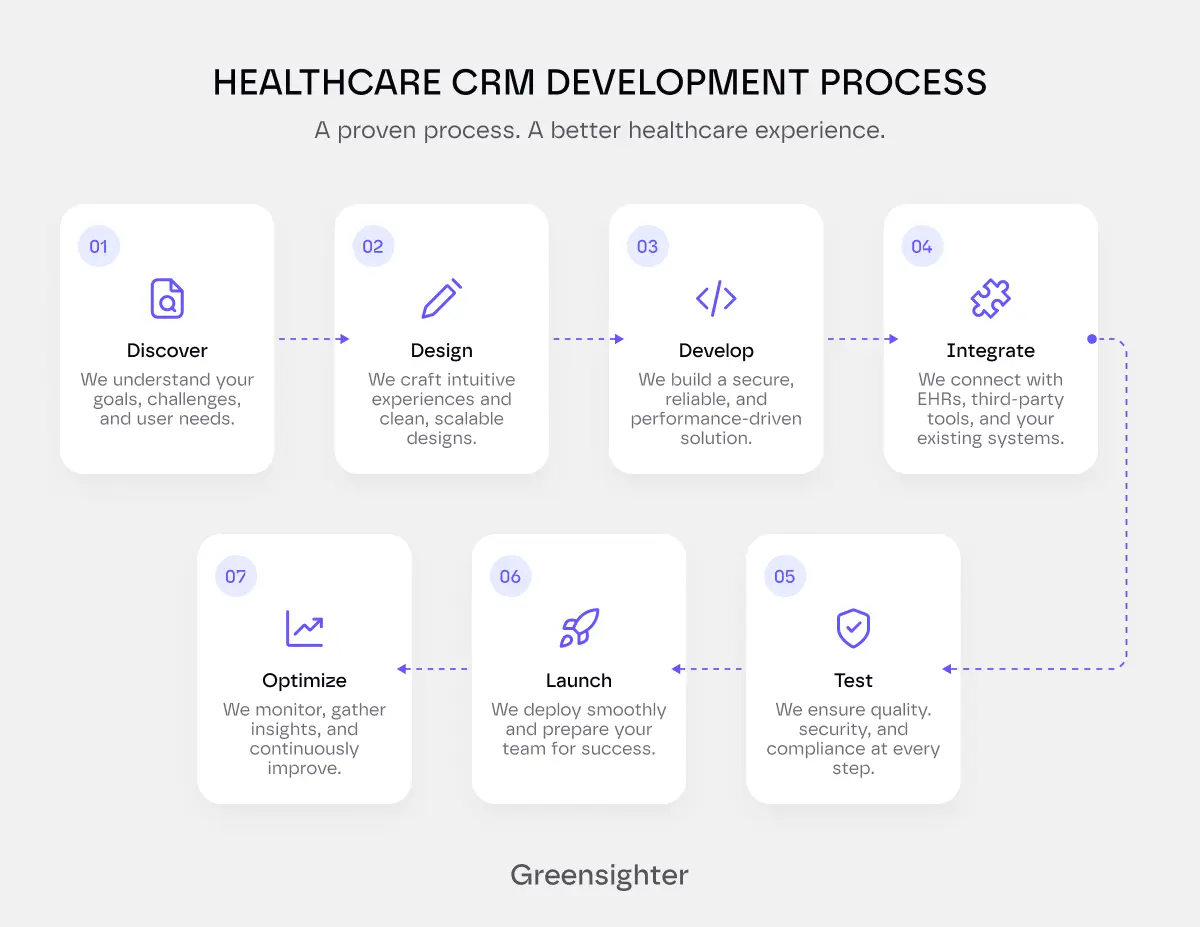
Sticking to this process helps with cutting down on implementation risk.
It also improves collaboration and makes sure the platform supports real clinical workflows
Best Practices for Healthcare CRM Implementation
Here’s a pro tip:
Focus on understanding clinical workflows before discussing the tech.
Successful implementation starts long before development begins.
Here are several practices that work in your favor.
Involve Clinical Teams Early
Doctors, nurses, reception staff, and administrators all interact with patients differently.
Get their feedback.
It helps make sure the CRM supports real workflows instead of adding unnecessary complexity.
Define Clear Objectives
You need a to-do list of measurable goals.
Examples include:
- Reducing missed appointments
- Improving patient retention
- Automating administrative tasks
- Increasing operational efficiency
Clear objectives make it easier to measure success after launch.
Roll Out in Phases
Don’t rush into it.
Introducing every feature at once can pull your team in every direction.
A phased rollout gives teams time to adapt while reducing implementation risks.
It also creates opportunities to gather feedback before expanding functionality.
Invest in Training
Make the best CRM, and it will still deliver little value if people avoid it.
Your team knows how the platform works.
What you need to show them is how it improves day-to-day responsibilities.
Confident users adopt new systems faster.
Custom Healthcare CRM vs. Off-the-Shelf Software
Off-the-shelves software can be implemented faster.
That approach works well for some providers.
But chances are that you’ll outgrow those platforms as workflows become more specialized.
A custom healthcare CRM offers more wiggle room.
You can use it to tailor workflows, integrations, reporting, and automation.
True, commercial CRM platforms often reduce initial development time.
But if you want more control over future growth, a custom solution is what you want.
The right choice depends on factors like:
- How big your organization is
- How complex your operations are
- What integration requirements are there
- What your long-term business goals are
Evaluating those requirements early helps avoid costly migrations later.
Final Thoughts
A CRM influences far more than patient communication.
It shapes how efficient your operation is.
It boosts staff productivity and patient engagement.
Successful healthcare CRM development starts with understanding how you actually operate.
The strongest solutions connect workflows.
They automate repetitive tasks.
You can integrate them easily with existing systems.
They support secure patient interactions throughout every stage of the care journey.
Technology continues to evolve.
Patient expectations continue to grow.
Healthcare organizations need CRM platforms that can evolve alongside both.
FAQs
What is healthcare CRM development?
Healthcare CRM development means building CRM platforms for healthcare providers.
These systems help manage patients, automate tasks, improve communication, and connect with EHRs.
What features should healthcare CRM software include?
Healthcare CRM software usually includes:
- Patient profiles
- Workflow automation
- Appointment management
- Reporting
- Patient portals
- EHR integration
- Role-based access
- Compliance features.
When should clinics choose a custom healthcare CRM?
A custom healthcare CRM is often better when clinics need specialized workflows, unique integrations, or features that standard platforms do not offer.
How does a healthcare CRM integrate with EHR systems?
Most healthcare CRMs connect with EHR platforms through standards like HL7 and FHIR.
This helps patient data move securely between systems and reduces duplicate data entry.
How long does healthcare CRM development take?
Project timelines depend on platform complexity, integrations, compliance requirements, and customization needs.
Simple projects may take several months. Larger enterprise systems need more planning and development.
Does healthcare CRM software need to be HIPAA compliant?
If the platform stores or processes Protected Health Information, it should support HIPAA compliance with access controls, audit logs, encryption, and secure authentication.
How much does healthcare CRM development cost?
There's no fixed price for healthcare CRM development.
Costs depend on factors such as features, EHR integrations, and security requirements.
They might also change whether you're building a custom solution or adapting an existing platform.


.webp)
.webp)